
The short answer
Plan first. Combine ingredients second.
To make the list by hand, open a notebook, notes app, or spreadsheet. Choose the recipes you will really cook, set the portions, copy every ingredient with its quantity, combine compatible duplicates, group the result by grocery category, then check the kitchen before shopping. Keep the final shopping list connected to the plan so a changed dinner does not leave behind irrelevant ingredients.
The most common mistake is starting with seven attractive recipes. Start with the calendar instead. A takeaway night, leftovers, or dinner out should remove a recipe before it adds anything to your handwritten or digital list.
The manual method
Five steps from recipes to a grocery list.
Use these same five steps whether you write in a notebook, keep a checklist in a notes app, or organize quantities in a spreadsheet. The method needs no grocery list app.
Choose only the recipes the week needs.
Mark dinners that are already covered by plans, leftovers, or takeout. Then choose enough recipes for the remaining nights. If one batch covers two dinners, count it once. This keeps the shopping list attached to a realistic cooking workload.
Useful check
Can you point to the night when each recipe will be cooked or reheated? If not, it probably does not belong on this week’s list.
Scale every recipe before copying ingredients.
A recipe written for four does not make a correct list for two, six, or a batch that must cover tomorrow as well. Set the required portions first, then scale every quantity. Keep optional toppings separate so they can be removed without changing the base meal.
Useful check
Count both people and planned leftovers. Four people eating tonight plus two lunch portions means shopping for six, not four.
Combine duplicates only when they are genuinely compatible.
Two recipes may both need onions, garlic, rice, or stock. Add compatible amounts into one line. Do not merge ingredients just because their names look similar: fresh tomatoes and canned tomatoes, or chopped herbs and whole garnish, may serve different jobs.
Useful check
Normalize units before adding. Convert grams to grams or cups to cups, and keep “one bunch” separate when the other recipe specifies a measured weight.
Group the list the way you move through the shop.
Put produce, meat or alternatives, chilled items, pantry goods, and bakery items together. A categorized list reduces backtracking and makes duplicate lines easier to spot. Keep the ingredient name first and the total quantity beside it.
Useful check
Read each category once before leaving it. That is easier than scanning three recipes repeatedly in every aisle.
Check the kitchen, then keep the list tied to the plan.
Cross off what you already own only after checking the cupboard, fridge, and freezer. If a meal changes later, remove its ingredients and add the replacement. A grocery list is trustworthy only when it still describes the current plan.
Useful check
Keep checked items visible until the shop is finished. It prevents accidental re-adding and gives you a record of what is already in the basket.
Worked example
Two dinners, one grocery list, with the quantities worked out.
This simplified example shows the arithmetic for two people eating two different dinners. These ingredient lists illustrate the method; they are not recipes from PrepWeek's catalog.
Suppose a four-serving chickpea rice bowl uses 300g dry rice, two 400g cans of chickpeas, two onions, two garlic cloves, and two tablespoons of olive oil. A four-serving tomato pasta uses 400g dry pasta, 800g canned chopped tomatoes, two onions, two garlic cloves, and two tablespoons of olive oil.
First, halve both recipes for two servings.
Use required servings divided by original servings as the multiplier: 2 ÷ 4 = 0.5. Multiply each quantity by 0.5 before combining it with another recipe.
| Ingredient | Rice bowls, 2 servings | Pasta, 2 servings | Combined total |
|---|---|---|---|
| Dry rice | 150g | None | 150g |
| Canned chickpeas | 1 × 400g can | None | 1 × 400g can |
| Dry pasta | None | 200g | 200g |
| Canned chopped tomatoes | None | 400g | 400g |
| Onions | 1 | 1 | 2 |
| Garlic cloves | 1 | 1 | 2 |
| Olive oil | 1 tablespoon | 1 tablespoon | 2 tablespoons |
Then copy the totals into a shopping checklist.
- Produce: 2 onions and 2 garlic cloves.
- Dry goods: 150g rice and 200g pasta.
- Canned goods: one 400g can of chickpeas and one 400g can of chopped tomatoes.
- Cooking staples: 2 tablespoons of olive oil.
Finally, check the kitchen. If you already have enough rice and olive oil, cross those lines off. Shop for the remaining ingredients, buying suitable pack sizes rather than expecting the shop to sell precisely 150g of rice or two garlic cloves. A chickpea can's label weight includes liquid, so preserve the recipe's can size rather than treating it as drained chickpea weight.
For leftovers, change the multiplier before making the list. If each dinner must feed two people twice, you need four servings of each recipe, so keep its original quantities and combine four onions, four garlic cloves, and four tablespoons of oil.
Apply the same method to the complete ingredient lists in Spicy Chicken Burgers, Coconut Chickpea Curry, or Sticky Garlic Beef. Keep different ingredient forms separate, such as dry rice and cooked rice.
Manual list or app?
Build it by hand, or let the plan build it.
A notebook, notes app, or spreadsheet works well when you want full control over recipes from different sources. Follow the five-step method above and update the shopping list whenever the plan changes.
Prefer the automated route?
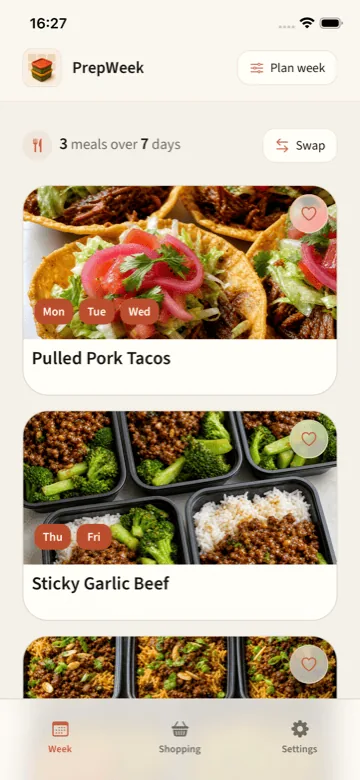
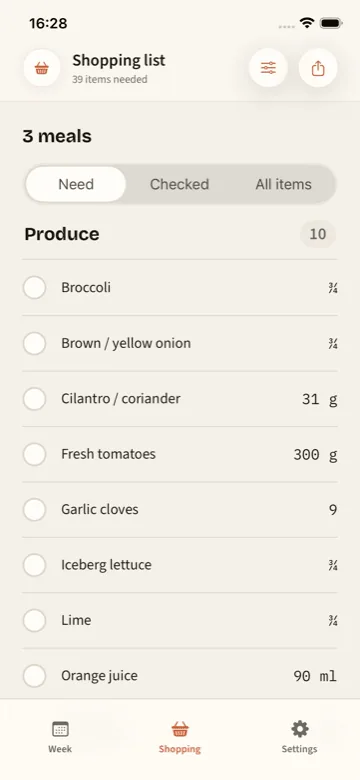
If you would rather not rebuild this by hand every week, a meal planning app with a grocery list can derive it automatically. PrepWeek connects its curated recipes to dinner nights, scales portions, and produces one categorized list; it does not currently import personal recipes.
See the workflow
From an undecided week to one shopping list.
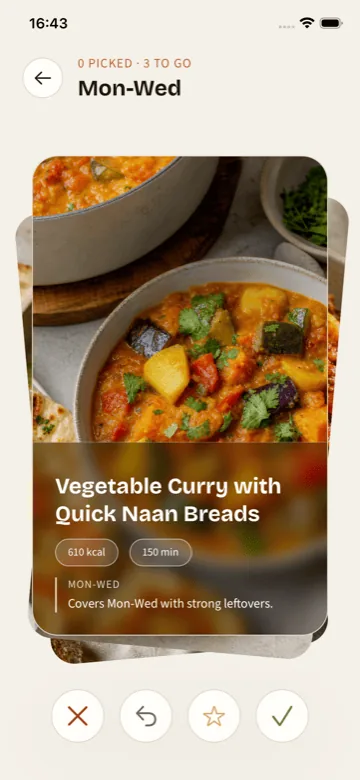
These are real PrepWeek screens. Choose the nights, pick meals that fit, then shop from the list built around the plan.
Swipe to see all three screens →
First plan free. No account required.
Try PrepWeek on iPhoneCommon questions
Useful answers before you start.
How do I make one grocery list from several recipes?
Scale each recipe to the portions you need, copy the ingredients into one working list, combine compatible duplicates, group the result by aisle, and check what you already own.
Can I import my own recipes into PrepWeek?
Not currently. PrepWeek uses its curated recipe catalog. Choose a recipe-importing app if your main goal is converting personal or social recipes into a list.
Should pantry staples stay on the shopping list?
Keep them until you confirm what is already at home. Removing staples from memory is how small missing ingredients derail a planned meal.
How do I combine the same ingredient from two recipes?
Add compatible quantities into one practical grocery line. Normalize the units first, and keep different forms or uses separate.
Keep planning