
Use first-party sources
Pricing, platforms, and product features link back to official documentation.
Meal planning app comparisons
Some apps calculate macros. Some organize saved recipes. Some track the pantry. PrepWeek’s comparisons explain those differences plainly, including when another app is the better choice.
Start here
Compare dinner-first planning, nutrition-led meal prep, recipe importing, pantry tools, and grocery-list workflows across eight apps.
Read the full comparison → Nutrition-led alternativesSix options for people who want different levels of nutrition tracking, recipe control, and planning structure.
Compare six apps → Recipe-first alternativesSix options for social recipe importing, personal libraries, pantry planning, or deciding dinner before collecting more recipes.
Compare six apps →Our editorial standard
Pricing, platforms, and product features link back to official documentation.
Every app includes a clear limitation and a situation where another product fits better.
PrepWeek creates these pages and is never presented as an independent reviewer.
Volatile product facts have a visible checked date and one centralized data source.
PrepWeek’s point of view
PrepWeek is built for people who already know plenty of food exists. The hard part is choosing a few realistic dinners, fitting them around plans and leftovers, cooking enough, and taking one list to the grocery store.
That makes PrepWeek a poor fit for strict macro tracking, social recipe importing, pantry inventory, and retailer ordering. Our comparisons say so directly.
PrepWeek is best for
See the workflow
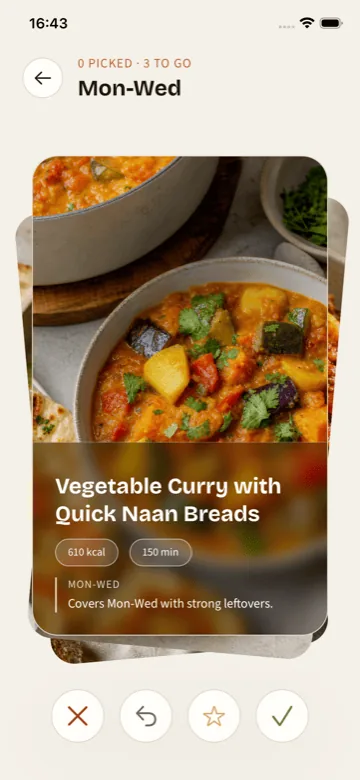
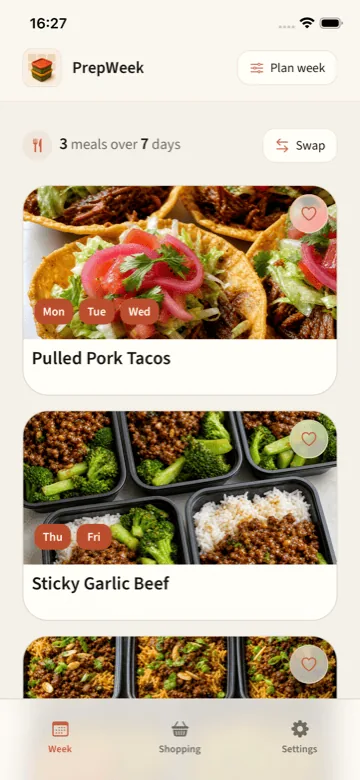
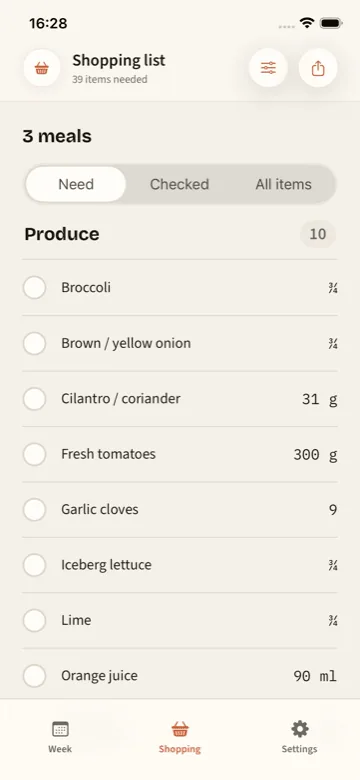
These are real PrepWeek screens. Pick the meals that fit, see how they cover the week, then shop from the list built from that plan.
Swipe to see all three screens →
First plan free. No account required.
Try PrepWeek on iPhoneTry the narrower option
Your first plan is free and needs no account. Choose the dinner nights, pick practical recipes, and shop from one list.
Try PrepWeek on iPhone