
Choose dinner nights
Pick the nights you want PrepWeek to cover and leave out the evenings already claimed by plans, leftovers, or takeout.
Dinner-only planning
PrepWeek is an iOS meal prep app for choosing the nights you actually need dinner, finding practical recipes, and getting one shopping list built around how you cook.
Free to start. No account required.
The weekly flow
Pick the nights you want PrepWeek to cover and leave out the evenings already claimed by plans, leftovers, or takeout.
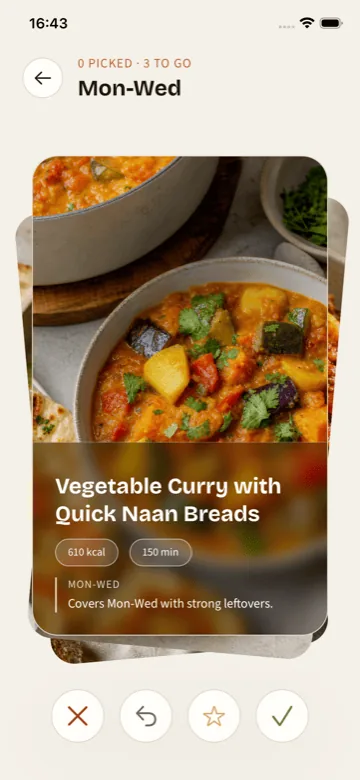
Review dinner ideas that match your household, effort level, food exclusions, and flavor preferences.
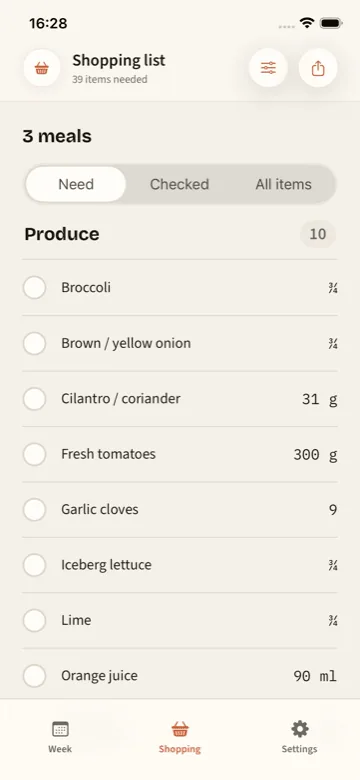
Get a consolidated grocery list scaled around the dinners you chose and the way you cook them.
Built for realistic cooking
PrepWeek is focused on dinner planning, batch-friendly meal groups, recipe detail, portion guidance, and shopping list check-off. It stays narrow so the weekly workflow stays fast.
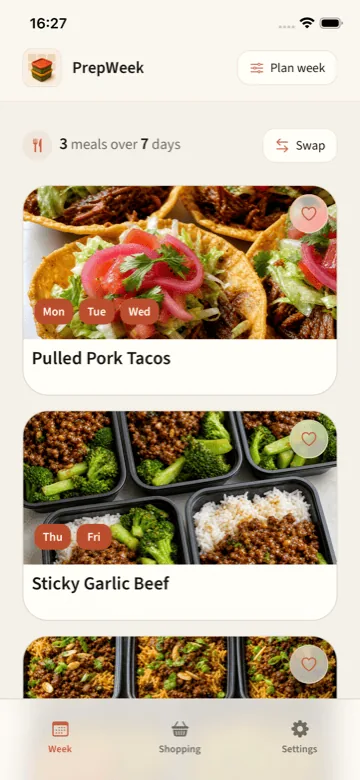
Plan meals that cover Monday and Tuesday, Wednesday and Thursday, or whichever stretch fits your week.
Choose from practical dinners that respect effort, preferences, exclusions, and the nights you have available.
Your plan, shopping list, favorites, and recipe signals stay on your device. No account required to get started.
What makes it different
PrepWeek helps you decide what to cook for dinner. It does not turn weeknight meals into logging, scoring, or macro math.
Recipes are connected to nights, portions, cooking effort, and one shopping list, so you are not left with saved ideas and no plan.
Real weeks change. PrepWeek works around off-plan nights, repeat meals, leftovers, and the dinners you actually want covered.
The app stays focused on evening meals and keeps your planning data on your device by default.
Cook from the plan
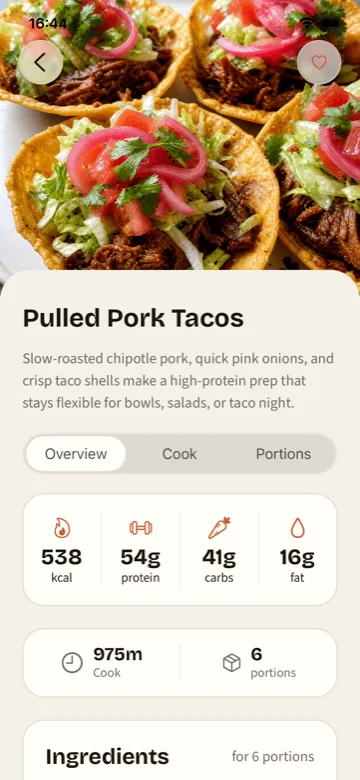
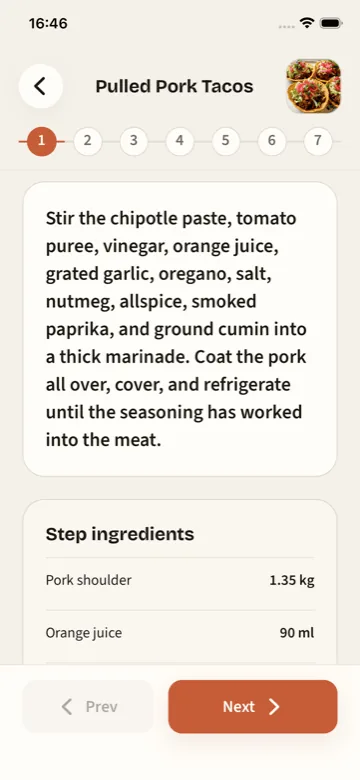
Open a meal group for recipe detail, scaled portions, ingredients, and focused cook mode when it is time to prep.
Explore PrepWeek
PrepWeek connects the dinner schedule, meal prep recipes, portions, cooking guidance, and grocery shopping. These guides explain each part in detail.
See how PrepWeek turns dinner nights into recipes, portions, cook mode, and one shopping list.
Schedule firstPlan off-nights, leftovers, and batch-friendly meal groups around the week you actually have.
Shop onceFollow selected recipes and scaled portions into one categorized list for the whole week.
Browse real foodCompare ingredients, instructions, timings, nutrition, and storage notes before you choose.
Practical meal prep guides
Clear methods for deciding what to cook and turning the recipes you choose into one grocery list.
Compare meal planning apps
See where PrepWeek fits, where another app may suit you better, and which planning style matches the problem you actually have.
Compare eight apps for dinner planning, nutrition targets, recipe importing, pantry tracking, and grocery lists.
Nutrition-led alternativesCompare six options for meal prep with less macro tracking, different recipe sources, or a narrower dinner workflow.
Recipe-first alternativesCompare six options for recipe importing, personal libraries, pantry planning, or deciding dinner before collecting more recipes.
PrepWeek FAQ
Short answers about how PrepWeek turns realistic weeknight dinners into a plan and grocery list.
PrepWeek is an iOS meal prep and dinner planning app that helps you choose the nights you need dinner, pick practical recipes, and shop from one grocery list.
No. PrepWeek is free to start and does not require an account to build a dinner plan.
No. PrepWeek focuses on dinner planning, recipes, portions, and grocery shopping instead of calorie logging or macro tracking.
Yes. PrepWeek combines the ingredients from the dinners you choose into one shopping list grouped by grocery category.
Yes. You choose only the dinner nights you want covered, so leftovers, takeout, plans, and off nights can stay out of the plan.
Ready for dinner week
Download PrepWeek on the App Store and turn this week's dinner decisions into a plan you can actually cook.

Free to start. No account required.